A software backup can get you out of a jam in an instant. Whether you've deleted something by accident, or if a glitch has taken down all your work before you've hit save, backing up can save you a lot of stress and extra work. Luckily, some of the best free backup software is easy to install and use.
When we talk about backup software, we primarily mean two types: image backup and regular backup. An image backup is, unsurprisingly, an image of the entire operating system (OS), with all the files and programmes and application configurations. If your Windows machine crashes unexpectedly, the OS can still be rebooted from the image file, which takes away that time-consuming reinstall process. The main downside here is that image files are large and take time to create, so making one as a backup regularly might be impractical.
As the term suggests then, regular backups are the more practical option. This is where copies are made of all selected data and differential backups which copies data that has changed or been added since the last full backup. The nature of differential backups requires each to be larger than the last and to fully restore your system, it must be used in conjunction with a full backup.
This is why a business must first identify its backup needs. Only certain files might be classed as "essential" for the operation, which would place more emphasis on larger saves of specific tasks. Businesses can choose to spend as much or as little as they like on their data recovery plan. We’ve previously detailed some of the best paid options on the market, but there are also a number of great alternatives that don’t cost a single penny. We’ve rounded up a selection of the very best below - there will be one for every business, it’s just a case of picking which one is the perfect fit for your business.
Cobian Reflector

Cobian Reflector is a great option for creating automatic backups of files and directories on your system. Once downloaded, it can be run as a service, or as a regular application. A major factor in Cobian Reflector’s favour is the degree of advanced tools that the program provides, for no added cost.

Modernise the data stack to transform the data experience
Next generation business intelligence and analytics
The latest version of Cobian Reflector works on all Windows versions after WIndows Vista SP2, including both Windows 10 and Windows 11. For older systems, the older Cobian Backup is available in a range of versions on the same page, covering operating systems as old as Windows XP and Windows 95.
Using Cobian reflector, users can backup data to local disk, a local network or even use a file transfer protocol (FTP) server as a backup location. Data can be backed up to these different locations simultaneously, saving users time and effort whilst ensuring files are safely copied.
One of the main downsides of Cobian Reflector is its complexity. Boasting a very basic UI, and requiring intermediate to advanced knowledge to operate properly, it’s not the most user-friendly, especially for small businesses that might be seeking an out of the box solution to data backups rather than one that requires long instructions and configuration. Another issue is the somewhat drawn out process of restoring files with the program, which must be completed manually, and this makes Cobian Reflector somewhat unsuitable for restorations in a time-sensitive scenario.
Paragon Backup & Recovery Community Edition

Paragon Backup & Recovery Community Edition makes the job of copying your data a cinch. The wizard-based interface allows users to backup up entire systems, partitions, folders and files, down to location and file type. Users can use the program to easily set up a schedule for backups, and also set custom parameters for backup scenarios.
There is also a data management toolset that includes a WinPE recovery medium to help create a rescue system on a USB stick. This enables users to access hard drives, even if Windows doesn't boot.
EaseUS Todo Backup Free

EaseUS Todo Backup Free offers step-by-step instructions to quickly backup and recover files and folders. It can back up everything from entire systems down to individual files. To save space, users can specify whether they would prefer differential backups, and can save time using the built-in scheduler, so backups can be timed to not get in the way of other tasks.
Data can be backed up to CD/DVD, local hard drive, external drive, iSCSI device or any network target. EaseUS ToDo Backup also gives users access to 250GB of free cloud storage.
A handy feature of EaseUS Todo Backup Free is the option of encrypted backups, to prevent data from being accessed in the event of a data breach on the backup server or hard drive.
Comodo Backup
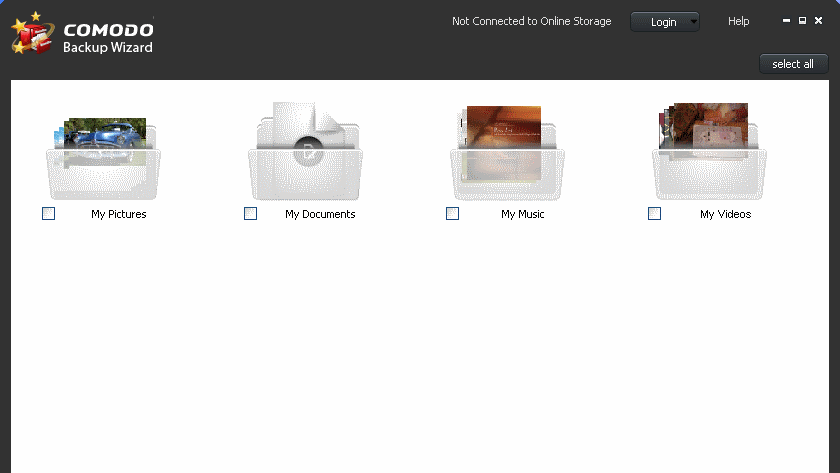
Comodo Backup can be configured to automatically backup data from individual files to an entire drive. It can even backup individual email accounts and browser data.
It supports full backup, differential backup, incremental backup, as well as synchronised backup. Backups can be saved to a local drive, optical media like a CD/DVD/BD disc, network folder, external drive, FTP server, or sent to someone over email. Backups can be saved using the popular ZIP or ISO format as well as Comodo's CBU proprietary format.
Windows File History

Sometimes, the simplest option is the best, and Windows File History offers users capable backup options without the need for any third-party software. To activate File History, users need only navigate to their system settings, then ‘update and security’ and finally ‘backup.’ Here, a drive can be designated for backups, along with the folders that the user desires to be backed up, and the frequency with which backups should be performed.
The main drawback of Windows File History is the limitations on the cloud storage that come with the free version — by default, Windows users are only entitled to 5GB of OneDrive space. That being said, enterprise users often have up to 1TB of OneDrive storage through their Office365 licence, and in this circumstance are unlikely to run into problems if using the service for basic backups.
Another limitation is that File History only backs up files that are in the Documents, Music, Pictures, Videos, and Desktop folders of a user’s system. To backup files from elsewhere using File History, they will first need to be manually put into one of these locations.